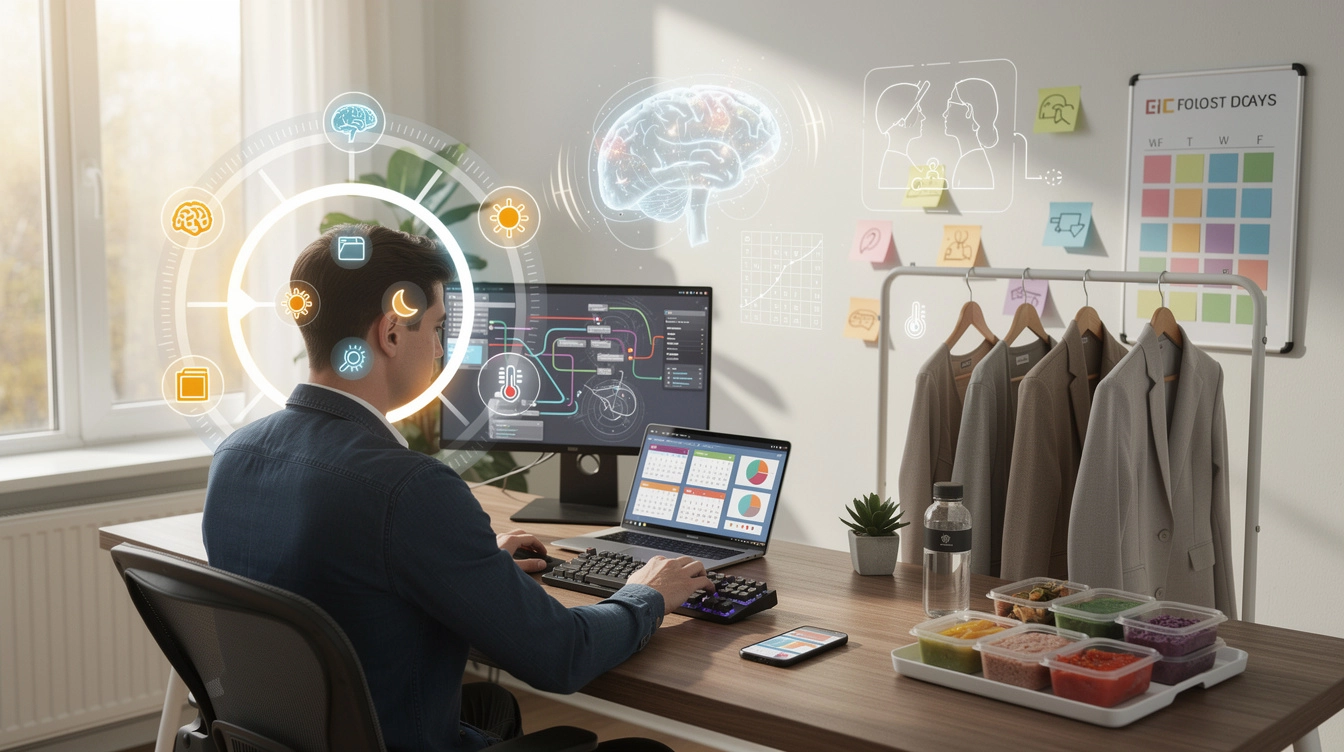
The quest for increased productivity has traditionally focused on familiar territory: better to-do lists, time management apps, and motivational techniques. Yet the most significant efficiency gains often emerge from less conventional approaches rooted in neuroscience, behavioural psychology, and environmental design. Understanding how your brain responds to temporal cues, how decision-making depletes cognitive resources, and how subtle environmental modifications can reshape behaviour offers a sophisticated framework for dramatically enhancing daily output. These evidence-based strategies move beyond surface-level productivity hacks to address the fundamental mechanisms that govern human performance.
Chronobiology-based task scheduling for peak cognitive performance
Your body operates according to biological rhythms that profoundly influence cognitive capacity throughout the day. Rather than forcing yourself to maintain constant productivity, aligning work patterns with these natural cycles produces substantially better results. This approach represents a fundamental shift from willpower-based productivity to biology-based efficiency.
Aligning deep work with ultradian rhythm cycles
Beyond the well-known 24-hour circadian rhythm, your body follows ultradian rhythms—90 to 120-minute cycles that govern alertness and cognitive function throughout the day. Research from sleep laboratories demonstrates that your brain naturally alternates between periods of high focus and necessary recovery approximately every 90 minutes. Fighting this pattern by attempting sustained concentration for longer periods produces diminishing returns and mental fatigue.
The strategic approach involves structuring work sessions to honour these natural cycles. Schedule your most cognitively demanding tasks—analytical thinking, creative problem-solving, complex writing—in 90-minute blocks, followed by 15 to 20-minute recovery periods. During these breaks, engage in activities that genuinely allow mental restoration: walking, light stretching, or simply gazing out a window. Checking email or social media does not constitute genuine recovery, as these activities maintain cognitive engagement.
Leveraging the circadian dip: strategic placement of administrative tasks
Most individuals experience a predictable energy decline in the early afternoon, typically between 2:00 and 4:00 PM. This phenomenon, known as the post-lunch dip, occurs regardless of whether you’ve eaten lunch—it’s driven by circadian biology rather than dietary choices. Instead of fighting this natural downturn with caffeine, embrace it by scheduling tasks that require minimal cognitive load during this window.
Reserve this period for administrative work: responding to routine emails, filing documents, scheduling meetings, or handling expense reports. These necessary but less demanding activities can be completed adequately even when your cognitive resources are depleted. This strategic placement prevents the common mistake of attempting complex work when your brain is biologically predisposed to reduced performance.
Temperature-dependent productivity: optimising environmental conditions
Workplace temperature significantly impacts cognitive performance, yet most people overlook this environmental variable. Research conducted by Cornell University found that when office temperature increased from 68°F to 77°F (20°C to 25°C), typing errors decreased by 44% and typing output increased by 150%. The optimal range for most cognitive work sits between 70°F and 72°F (21°C to 22°C).
For sleep quality, however, cooler temperatures prove more beneficial. Setting your bedroom thermostat to approximately 65°F (18.5°C) facilitates the core body temperature drop necessary for initiating and maintaining sleep. This temperature differential between work and sleep environments helps reinforce your circadian rhythm, supporting both daytime alertness and nighttime rest.
Blue light exposure timing for alertness modulation
Blue wavelength light exerts powerful effects on your circadian system, suppressing melatonin production and promoting alertness. Morning exposure to blue light—ideally from natural sunlight, but alternatively from specialized light therapy devices—helps establish a robust circadian rhythm and enhances daytime alertness. Conversely, blue light exposure in the evening disrupts sleep architecture by delaying melatonin release.
Applications like f.lux automatically adjust your computer display’s colour temperature based on time of day, gradually shifting toward warmer, red-shifted tones after sunset. This simple intervention can improve sleep latency by 15-20 minutes and enhance sleep quality. For maximum effect
avoid bright screens for at least 60–90 minutes before bed, or use blue-light–blocking glasses in the evening. This simple adjustment supports more consistent sleep, which in turn stabilises your daytime alertness and improves overall daily efficiency. If you must work late on a screen, combine software filters with reduced screen brightness and warmer colour temperatures to minimise circadian disruption.
Cognitive load reduction through strategic automation protocols
Every unresolved notification, manual data transfer, and repetitive email adds to your cognitive load. Over the course of a day, these micro-demands erode your ability to focus on meaningful work. Strategic automation reduces this background noise by delegating predictable, rules-based tasks to software. The result is not just time saved, but a measurable decrease in mental fatigue and decision-making overhead.
Implementation of zapier workflows for cross-platform data synchronisation
Zapier acts as a bridge between the tools you already use, automatically moving data where it needs to go. Instead of manually copying information between your CRM, calendar, spreadsheets, and project management systems, you can build workflows (“Zaps”) that trigger whenever a defined event occurs. For instance, a new form submission can create a task, add a row to a spreadsheet, and send a personalised acknowledgement email—all without your intervention.
To keep automation manageable, start with a single high-friction workflow you perform multiple times a week. Map the exact steps on paper, then recreate them inside Zapier using simple triggers and actions. As you gain confidence, you can chain more complex logic—filters, delays, and multi-step processes—while regularly auditing your Zaps to ensure they still match your current processes. This focused approach prevents “automation sprawl,” where poorly designed workflows create more confusion than they remove.
IFTTT applets for contextual device triggering
While Zapier excels at business workflows, IFTTT (If This Then That) shines at connecting your devices and services in context-aware ways. You can, for example, have your phone automatically switch to Do Not Disturb when a calendar event begins, or log your daily step count to a spreadsheet for effortless health tracking. These small automations remove tiny, recurring decisions that interrupt your concentration throughout the day.
Think of IFTTT as a way to create behavioural “guardrails” in your environment. When you arrive at your coworking space, your phone can automatically lower notification volume and launch your note-taking app. When you leave home, your smart lights can turn off and your thermostat adjust, removing low-level worries about whether you forgot something. Over time, these contextual triggers help you arrive at each setting primed for the right kind of work.
Textexpander snippet libraries for repetitive communication patterns
Many professionals underestimate how much time they spend retyping similar phrases, explanations, and instructions. Text expansion tools such as TextExpander or native OS-level substitutes let you transform short codes into full sentences, paragraphs, or even structured templates. Instead of writing out a standard project update or onboarding email from scratch, you type a few characters and the entire, polished message appears.
To build an effective snippet library, begin by tracking the emails and responses you send more than three times. Convert these into reusable templates that are 80–90% complete, leaving small placeholders for personalisation. Over time, you can categorise snippets by context (support, sales, internal updates) and refine the language for clarity. The goal is not to become robotic, but to standardise the routine elements so you can invest real attention in the parts that require human nuance.
Keyboard maestro macros for multi-step application sequences
For Mac users, Keyboard Maestro offers powerful control over multi-step workflows that span several applications. You can create macros that, with a single shortcut, open the apps you need for deep work, arrange windows, launch a timer, and block distracting websites. Instead of spending two minutes setting up every time you start a focus session, you initiate your entire environment in seconds.
When designing macros, treat them like mini operating procedures. Identify repeatable sequences—exporting a report, renaming files, formatting documents—and translate each step into an action. As with any automation, start small: one macro that saves you 30–60 seconds several times a day delivers a significant compounding effect over months. By externalising these sequences into software, you preserve precious mental bandwidth for tasks that truly require judgment and creativity.
Decision fatigue mitigation via constraint-based systems
Every choice you make, from what to wear to what to eat, draws from the same finite pool of cognitive resources used for complex problem-solving. Decision fatigue doesn’t arrive as a dramatic crash; it manifests as subtle procrastination, poor prioritisation, and susceptibility to distraction later in the day. Constraint-based systems deliberately limit low-value choices so you can preserve mental energy for decisions that matter.
Wardrobe capsule design: the steve jobs uniform methodology
Iconic figures like Steve Jobs and Barack Obama famously reduced wardrobe variety to conserve decision-making capacity. The principle is not about fashion minimalism for its own sake; it’s about standardising a low-impact domain so it ceases to demand attention. A capsule wardrobe—a small, interchangeable set of clothing—lets you get dressed quickly while still looking intentional and professional.
To implement this, select a limited colour palette and a few silhouettes that fit well and suit your work context. Aim for interoperability: shirts that match most trousers, shoes that work with nearly every outfit. You might rotate between two or three “uniforms” during the week, adjusting layers seasonally. The impact is subtle but real: mornings become smoother, and you begin the day with momentum instead of micro-deliberations over trivial details.
Meal planning algorithms using rotational menu frameworks
Nutrition decisions generate surprising friction: what will you eat, when will you prepare it, and do you have the ingredients? A rotational menu simplifies these questions by pre-deciding most of your meals for the week. Instead of designing a new meal plan every Sunday, you maintain two or three rotating templates that repeat on a biweekly or monthly basis.
Think of this as creating a “meal algorithm.” Monday might always be a simple stir-fry, Tuesday a slow-cooker meal, Wednesday leftovers, and so on. Within each category, you can allow for minor variations to prevent boredom, but the underlying structure remains stable. This reduces last-minute food decisions, cuts grocery shopping time, and makes it easier to maintain consistent energy levels—an often-overlooked foundation of daily efficiency.
Pre-commitment strategies: odysseus contracts in daily routines
In Greek mythology, Odysseus ordered his crew to tie him to the mast so he could hear the Sirens’ song without acting on the impulse to steer the ship toward danger. Modern behavioural economists call such arrangements “commitment devices” or Odysseus contracts: structures you set up in advance to protect yourself from predictable future weaknesses. Used wisely, they can transform good intentions into reliable behaviours.
Practical examples include scheduling early-morning workouts with a partner, prepaying for a course with fixed dates, or using apps that impose financial penalties if you miss a goal. You can also create lighter-weight contracts with yourself: placing your phone in another room during deep work, or setting browser blockers to engage automatically during certain hours. By reducing your need to negotiate with yourself in the moment, you conserve willpower and maintain more consistent productivity across the day.
Attention residue management and context switching costs
Each time you switch from one task to another, a portion of your attention remains stuck on the previous activity. Researchers call this phenomenon “attention residue,” and it significantly impairs performance on subsequent tasks. Rapid context switching—answering messages while drafting reports, for instance—creates a mental traffic jam where no single task receives your full cognitive capacity. Intentional design of your workday can minimise this friction and protect your focus.
Time-blocking protocols: the cal newport deep work method
Time blocking involves assigning specific tasks or task categories to defined periods in your calendar, rather than working from an open-ended to-do list. Cal Newport popularised this approach as a way to protect “deep work”—sustained, distraction-free concentration—by giving it fixed, non-negotiable slots. Instead of hoping you’ll find time for demanding work, you reserve it in advance and treat it like a meeting with yourself.
To implement time blocking, begin by identifying 2–4 hours per day where you can realistically avoid meetings and interruptions. Divide these windows into 30–90-minute blocks, each dedicated to a single project or type of work. During these blocks, close communication tools, silence notifications, and commit fully to the chosen task. Over time, your brain learns to associate these periods with intense focus, making it easier to enter flow states on demand.
Single-tasking enforcement through digital distraction blockers
Even with a time-blocked schedule, digital temptations can quickly erode your focus. Distraction-blocking tools such as Freedom, Cold Turkey, or browser extensions like StayFocusd create technical constraints that support your intention to single-task. By temporarily restricting access to social media, news sites, or even your email inbox, you reduce the number of decisions required to stay on track.
Think of these tools as guardrails rather than cages. Before starting a deep work session, define which sites and apps you genuinely need, then block everything else for a predetermined interval. Knowing that you cannot access distractions, rather than merely choosing not to, frees up cognitive resources. It’s similar to removing sugary snacks from your home rather than relying on willpower every time you open the cupboard.
Transition rituals between high-intensity work sessions
Moving abruptly from one demanding task to another amplifies attention residue. Transition rituals act as a psychological “buffer zone” that signals to your brain that one chapter has closed and another is beginning. These rituals do not need to be elaborate; their power lies in consistency and intentionality. Over time, they become cues that help you disengage from the previous task and fully engage with the next.
Examples include a brief note-taking process where you summarise what you accomplished and what remains, a two-minute breathing exercise, or a short walk away from your desk. You might also clear your workspace, close all unrelated tabs, and open only the tools required for the upcoming session. These small, repeatable actions act like clearing the stage between scenes in a play, ensuring the next performance begins without leftover props from the previous act.
Asynchronous communication windows to preserve flow states
Always-on communication channels fragment attention more than almost any other factor. When you feel obliged to answer messages immediately, you enter a reactive mode that leaves little room for sustained focus. Shifting as much communication as possible to asynchronous channels—and processing them in batches—reclaims large stretches of uninterrupted time for deep work.
In practice, this might mean setting expectations with your team about response times and designating specific windows for checking email or chat, such as mid-morning and late afternoon. Outside those windows, you keep communication tools closed while you work on high-priority tasks. This approach not only reduces context switching but also encourages clearer, more thoughtful messages, since you’re no longer typing half-distracted replies between other activities.
Neuroplasticity training for enhanced processing speed
Your brain is not a fixed asset; it constantly remodels itself in response to the demands you place on it—a property known as neuroplasticity. By deliberately engaging in exercises that challenge working memory, processing speed, and motor coordination, you can gradually increase your cognitive capacity. Much like physical training, the goal is to apply the right level of difficulty: enough to stretch your abilities without causing overwhelm.
Dual n-back exercises for working memory expansion
Dual n-back training is one of the more researched methods for improving working memory—the mental workspace you use to hold and manipulate information. In a typical dual n-back task, you monitor a sequence of visual and auditory stimuli, responding when the current stimulus matches the one from n steps earlier. As n increases, the task becomes progressively more demanding.
Studies show mixed but promising results: while dual n-back will not turn you into a genius overnight, consistent practice appears to improve performance on tasks that rely heavily on working memory and attention control. For practical benefits, integrate 15–20 minutes of training into your routine, three to five times per week, and track your perceived changes in focus and mental stamina over a month. As with any cognitive training, pairing practice with adequate sleep and physical activity amplifies the gains.
Speed reading techniques: meta-guiding and peripheral vision development
Traditional reading habits often involve subvocalisation—silently pronouncing each word—which limits reading speed to your speaking rate. Speed reading techniques aim to reduce this bottleneck and increase the amount of text you can process per unit of time. Meta-guiding, for instance, uses a visual guide (your finger or a pointer) to move smoothly across the page, training your eyes to track faster and reducing backtracking.
Peripheral vision development focuses on expanding the number of words you take in with each fixation. Instead of processing single words, you gradually learn to capture short phrases or clusters, much like widening the lens on a camera. To apply these methods without sacrificing comprehension, practise on lower-stakes material first—news articles or emails—and periodically test your understanding. The objective is not to race through every text, but to match your reading speed to the informational demands of the material.
Touch typing mastery through deliberate practice frameworks
Because you likely spend a significant portion of your day at a keyboard, improving your typing speed and accuracy offers outsized returns. Touch typing—typing without looking at the keys—transforms the keyboard from a barrier into an almost transparent interface. When your fingers move automatically, your thoughts can flow onto the screen with minimal friction, which is particularly valuable for writing, coding, or note-taking in real time.
Deliberate practice involves focused, feedback-rich sessions rather than mindless repetition. Use typing trainers that provide accuracy metrics, highlight weak keys, and gradually increase difficulty. Short, daily sessions of 10–15 minutes can produce substantial improvements over a few weeks. As your baseline speed rises, you’ll notice not only faster output but also fewer interruptions to your thinking, because you’re no longer pausing to correct constant errors or search for keys.
Environmental design principles from behavioural economics
Behavioural economics teaches us that human decisions are highly sensitive to context. The way options are presented, the friction associated with certain actions, and the cues in our environment all nudge behaviour in predictable ways. By designing your workspace and digital environment with these principles in mind, you can make efficient, healthy behaviours the default rather than the exception.
Nudge theory application: default option architecture
Nudge theory suggests that people often go with the default option, especially when they are tired, distracted, or uncertain. You can harness this tendency by configuring your environment so that the easiest path is also the most beneficial for your productivity. Think of defaults as the “path of least resistance” baked into your tools and routines.
For example, set your task manager to open automatically when you log in, rather than your email client. Configure your file system so new documents save into clearly labelled project folders instead of a chaotic desktop. Even small defaults—such as having water on your desk instead of sugary drinks—can shift your behaviour over time. By making the productive choice the automatic one, you reduce the number of decisions required to stay on track.
Friction engineering for undesirable habit disruption
If nudges make good behaviours easier, friction engineering does the opposite for habits you want to reduce. The concept is straightforward: increase the effort required to engage in undesirable activities until they no longer feel worth it. Our brains are surprisingly sensitive to even minor increases in friction; adding 20 seconds to a behaviour can be enough to break its automaticity.
In practice, this might mean logging out of social media platforms after each use, uninstalling particularly distracting apps from your phone, or moving entertainment apps to a secondary device that isn’t in your workspace. You can also create “speed bumps” by requiring yourself to write down a clear intention before visiting a non-essential website. Each additional step gives your reflective brain a chance to intervene before your impulsive brain takes over.
Visual cue placement using implementation intentions research
Implementation intentions—“if X happens, then I will do Y”—are powerful tools for turning vague goals into concrete behaviours. Visual cues in your environment can serve as triggers for these plans, helping bridge the gap between intention and action. When designed well, they function like signposts that gently steer your behaviour in the right direction throughout the day.
For instance, placing your running shoes and clothes by the door the night before creates a cue for your morning workout, turning “I should exercise” into “When I see my shoes, I go for a run.” A notepad on your desk labelled “Next Actions” invites you to capture tasks instead of keeping them in your head. Even a simple sticky note on your monitor—“Single-task for the next 25 minutes”—can act as a real-time reminder of your current focus. By thoughtfully positioning these cues where you naturally look and move, you transform your environment into an ally that reinforces efficient habits rather than undermining them.