Navigation menus serve as the digital equivalent of a well-organised library’s cataloguing system, fundamentally shaping how users discover and interact with content across websites and applications. The strategic design and implementation of navigation systems directly influences user behaviour, search engine crawlability, and ultimately, business success. Modern digital experiences demand sophisticated navigation solutions that balance accessibility, functionality, and discoverability whilst accommodating diverse user needs and technological constraints.
The relationship between navigation design and content discoverability extends far beyond simple wayfinding. Research consistently demonstrates that well-structured navigation menus can improve user engagement by up to 400%, whilst poorly designed systems lead to increased bounce rates and reduced conversion performance. Understanding the intricate mechanisms through which navigation influences discoverability enables designers and developers to create more effective digital experiences that serve both user needs and business objectives.
Navigation menu architecture and information hierarchy design
Effective navigation architecture begins with understanding how users mentally categorise information and expect to find content within digital environments. The foundation of discoverable navigation lies in creating logical information hierarchies that mirror user mental models whilst supporting business goals. This approach requires careful consideration of content relationships, user journeys, and the cognitive load imposed by different organisational structures.
Card sorting methodologies for content categorisation
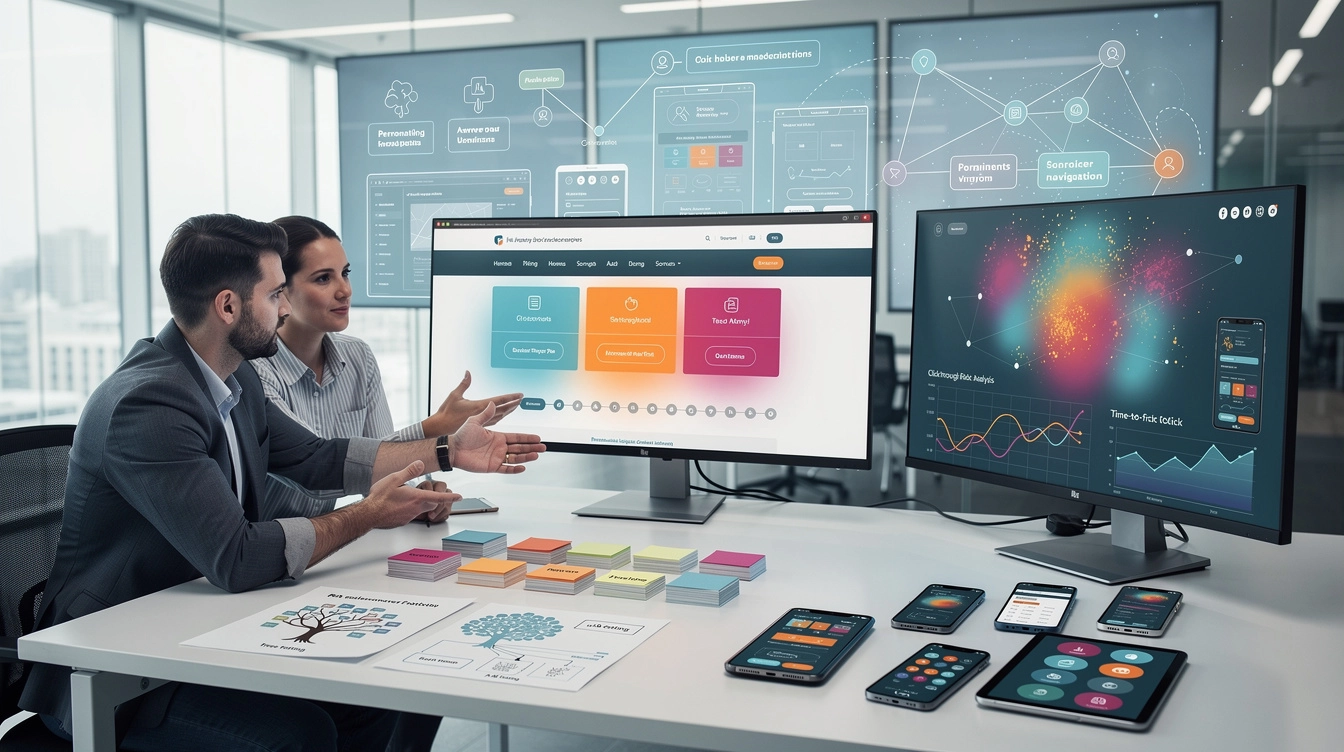
Card sorting represents one of the most valuable research methodologies for understanding how users naturally group and categorise content. This technique involves presenting users with individual content items and asking them to organise these into logical groups, revealing intuitive categorisation patterns that inform navigation structure decisions. Open card sorting allows participants complete freedom in creating categories, whilst closed card sorting tests predefined groupings against user expectations.
Digital card sorting tools have revolutionised this process, enabling remote research with larger sample sizes and sophisticated analysis capabilities. The insights gained from card sorting exercises directly inform menu labelling decisions, hierarchical organisation, and the identification of content that users might struggle to locate. Successful card sorting studies typically involve 15-30 participants per user segment, ensuring statistical reliability whilst maintaining research efficiency.
Tree testing validation for navigation structure optimisation
Tree testing provides crucial validation for proposed navigation structures before visual design and development commence. This methodology presents users with text-based hierarchical structures, asking them to locate specific information or complete defined tasks. The results reveal whether the proposed organisation effectively supports user goals and highlights potential areas of confusion or inefficiency.
The beauty of tree testing lies in its ability to isolate navigation structure from visual design influences, providing pure insights into information architecture effectiveness. Tasks should reflect realistic user scenarios, with success rates above 80% indicating strong structural foundation. First-click analysis proves particularly valuable, as research shows that users who make correct first clicks are significantly more likely to successfully complete their tasks.
Breadcrumb implementation and taxonomic path clarity
Breadcrumb navigation serves dual purposes: supporting user orientation within complex hierarchies whilst providing search engines with clear structural signals. Effective breadcrumb implementation requires careful consideration of page relationships, ensuring that the displayed path accurately reflects both the site’s information architecture and the user’s current location within that structure.
Modern breadcrumb systems extend beyond simple hierarchical displays to include faceted navigation paths and dynamic categorisation. These advanced implementations prove particularly valuable in e-commerce environments where products might logically belong to multiple categories. The key lies in maintaining consistency and predictability, ensuring users can rely on breadcrumbs as a reliable navigation tool regardless of how they arrived at their current location.
Mega menu design patterns for complex site architectures
Mega menus address the challenge of presenting extensive navigation options without overwhelming users or requiring excessive drilling down through multiple menu levels. These large-format dropdown interfaces can accommodate rich content including images, descriptions, and multiple navigation paths, making them particularly effective for organisations with complex product portfolios or extensive content libraries.
The success of mega menu implementations depends heavily on visual organisation and progressive disclosure principles. Effective mega menus group related options logically, use visual hierarchy to guide attention, and maintain scannable layouts that don’t overwhelm users with choices. Research indicates that mega menus can reduce navigation time by up to 50% when properly implemented, though they require careful consideration of mobile experiences and accessibility requirements.
User experience metrics
User experience metrics and navigation performance analytics
To understand how navigation menus influence discoverability, we need to look beyond aesthetics and examine concrete user experience metrics. Quantitative data reveals whether a navigation system is helping or hindering users as they attempt to find content. By tracking key indicators such as click-through rate, time-to-first-click, bounce rate and interaction heat maps, we can systematically optimise navigation performance and tie improvements back to business outcomes.
These metrics act like an ongoing usability test running quietly in the background of your digital product. They highlight friction points where users hesitate, abandon journeys or fail to notice critical navigation elements. When interpreted alongside qualitative feedback, they allow teams to move from opinion-driven design to evidence-based navigation optimisation that measurably improves content discoverability.
Click-through rate analysis for menu item performance
Click-through rate (CTR) is one of the most direct indicators of how effectively individual menu items support discoverability. By measuring the proportion of users who see a navigation element and then interact with it, you can quickly identify which labels resonate, which categories attract interest, and which links are effectively invisible. Low CTR often signals issues with information scent, positioning, or competition from more visually salient elements.
Analysing CTR across different user segments and devices is particularly revealing. For example, a menu item may perform well on desktop yet be rarely tapped on mobile due to its placement in a hard-to-reach area. You can also compare CTR before and after changes to navigation labels or hierarchy to validate whether your adjustments are improving discoverability. Over time, incremental refinements based on CTR data help you build a navigation system that better reflects user intent and content demand.
Time-to-first-click measurement and navigation efficiency
Time-to-first-click measures how long it takes users to interact with your navigation after landing on a page. This metric is crucial for assessing navigation efficiency, especially for first-time visitors who rely heavily on menus to orient themselves. Long delays before the first click often indicate that users are scanning aimlessly, struggling to recognise where to start, or distracted by non-essential interface elements.
By tracking time-to-first-click across different page types and traffic sources, you can identify contexts where navigation is not immediately obvious. For example, excessively long hero sections or large promotional banners can push menus below the user’s primary focus area, increasing the time it takes to locate key links. Reducing time-to-first-click, even by a few seconds, can significantly improve overall task completion rates and lower abandonment during critical journeys.
Bounce rate correlation with navigation menu usability
Bounce rate, while influenced by many factors, often reflects the usability of your navigation menu and its impact on discoverability. When visitors land on a page, fail to identify a clear path forward, and leave without viewing additional content, it’s a strong signal that navigation (or on-page wayfinding cues) are not aligning with their expectations. High bounce rates on landing pages with complex menus are a red flag that your architecture may be misaligned with user intent.
To use bounce rate effectively, correlate it with navigation interactions rather than viewing it in isolation. For instance, sessions where users never interact with the navigation but bounce quickly suggest poor menu salience or confusing labelling. In contrast, sessions where users open the menu, click several items, and then leave may indicate that content is missing or miscategorised. Analysing bounce rate alongside navigation paths helps you distinguish content issues from pure navigation problems.
Heat map analysis using hotjar and crazy egg for menu interactions
Heat map tools such as Hotjar and Crazy Egg provide visual evidence of how users interact with navigation menus in real time. Click heat maps reveal which menu items attract the most attention, while move and scroll maps show whether users even reach secondary navigation areas. This visual layer of analysis is particularly effective for spotting “dead zones” in mega menus or sidebars that analytics alone may not highlight.
Combining heat maps with session recordings allows you to observe how users move from initial page load to their first navigation interaction. Do they hover uncertainly over multiple categories? Do they repeatedly click on non-clickable elements that look interactive? These behavioural cues point to design patterns that undermine discoverability. By iterating on layout, spacing and visual emphasis in response to heat map insights, you can create navigation menus that naturally attract the eye and invite confident exploration.
Search engine optimisation through strategic menu link architecture
Navigation menus do not only guide human users; they also serve as a core blueprint for how search engines understand and crawl your site. Strategic menu link architecture helps search engines identify your most important pages, understand thematic clusters of content and distribute link equity efficiently. When navigation is carefully planned, it enhances both content discoverability for users and visibility in organic search results.
From an SEO perspective, primary navigation links are among the most powerful internal links on your site because they appear consistently across many pages. Prioritising high-value categories and service pages in the main menu signals to search engines that these URLs represent core aspects of your offering. Conversely, cluttered menus with dozens of low-priority links dilute authority and make it harder for search engines to identify what truly matters, potentially weakening rankings for critical queries.
Descriptive navigation labels also act as anchor text, reinforcing keyword relevance for linked pages. Instead of generic labels such as “Solutions” or “Resources,” using more specific phrases that align with how users search—like “B2B email marketing services” or “pricing and subscription plans”—provides clearer context. This does not mean stuffing keywords into every menu item; rather, it involves choosing concise, meaningful phrases that support both usability and search intent. Over time, this alignment between navigation language and search behaviour improves how well your content surfaces in relevant searches.
Mobile-first navigation design and responsive menu patterns
As mobile traffic continues to dominate, navigation menus must be designed from a mobile-first perspective to preserve discoverability across devices. Small screens, touch interactions and varying connection speeds all shape how users experience navigation structures. A menu that feels intuitive on desktop can become cumbersome or hidden on mobile, leading to increased frustration and abandonment.
Responsive menu patterns help bridge this gap by adapting navigation layouts and interactions to different screen sizes. However, simply collapsing a complex desktop menu into a mobile hamburger icon rarely delivers an optimal experience. Instead, effective mobile-first navigation focuses on ruthless prioritisation of core journeys, clear labelling and touch-friendly targets that respect how people hold and use their devices. When done well, mobile navigation can actually improve discoverability by forcing teams to clarify what truly matters in the user journey.
Hamburger menu alternatives and off-canvas navigation solutions
While the hamburger icon has become a default pattern for mobile navigation, research consistently shows that hiding primary navigation behind icons can reduce menu usage and harm discoverability. Users may overlook the icon entirely, misinterpret its purpose, or hesitate to open it if the on-page content seems sufficient. As a result, critical sections of your site remain effectively invisible to a significant portion of visitors.
Exploring alternatives such as tab bars, visible priority links, or partially exposed off-canvas menus can dramatically improve navigation engagement. For example, a bottom tab bar with three to five core destinations keeps essential paths in constant view, reducing interaction cost and decision fatigue. Off-canvas menus that slide in from the side can still accommodate secondary links, but their triggers should be clearly labelled with text such as Menu or Browse to increase recognisability. By bringing key options out from hiding, you make it much easier for users to discover and explore your content on mobile devices.
Progressive enhancement for touch-based menu interactions
Touch-based navigation introduces unique challenges and opportunities that differ significantly from pointer-based interactions. Small touch targets, hover-dependent menus and intricate multi-level dropdowns often translate poorly to mobile, undermining both usability and discoverability. Progressive enhancement offers a practical approach: design a robust, touch-friendly baseline experience first, then layer on richer interactions for devices that can support them.
In practice, this means ensuring that core navigation actions—opening menus, expanding subcategories, selecting items—work reliably with simple taps and without relying on hover states. Larger hit areas, generous spacing and clear visual feedback on tap are essential. Advanced behaviours, such as animated transitions or gesture-based interactions, can then be added where appropriate without compromising the underlying simplicity. By treating touch interaction as a first-class concern, you create navigation menus that remain discoverable and dependable across the full spectrum of devices.
Thumb-zone optimisation for mobile navigation accessibility
On modern smartphones, the physical reach of the user’s thumb has a profound impact on how easily they can interact with navigation elements. Studies of “thumb zones” show that areas near the bottom and centre of the screen are easiest to reach on larger devices, while top corners often require uncomfortable stretching or a second hand. Placing primary navigation controls in hard-to-reach areas directly reduces menu usage and content discoverability.
Designing with thumb zones in mind means positioning frequently used navigation elements—such as primary tabs, key calls-to-action and search triggers—within the natural reach of the dominant hand. This is one reason why bottom navigation bars have become so prevalent in mobile apps and progressive web experiences. By respecting ergonomic realities, you remove subtle friction from every interaction, making it more likely that users will explore your content rather than abandon the experience out of frustration.
Content discovery algorithms and personalised navigation systems
As digital products grow in scale, static navigation menus alone often struggle to surface the full breadth of available content. This is where content discovery algorithms and personalised navigation systems come into play. By leveraging behavioural data, preferences and contextual signals, these systems dynamically adjust which links, categories and recommendations are surfaced to each user, increasing the likelihood that they will encounter relevant, engaging material.
Personalised navigation can take many forms, from “recently viewed” and “recommended for you” sections to adaptive homepages that reorder categories based on past behaviour. For instance, a news site might elevate topics that a reader frequently clicks, while an e-commerce platform could highlight brands or price ranges aligned with previous purchases. In effect, the navigation becomes less like a fixed directory and more like a skilled librarian who learns your tastes over time, guiding you toward content you did not even know you were looking for.
However, personalisation must be implemented thoughtfully to avoid creating filter bubbles or disorienting changes to core navigation structures. A common best practice is to keep global navigation stable while introducing personalised components in secondary areas such as sidebars, home sections or in-page modules. This preserves a consistent mental model for wayfinding while still leveraging algorithmic insights to enhance discovery. Transparency—such as labelling why certain items are recommended—can also help build trust and encourage users to engage with personalised suggestions.
Technical implementation of advanced navigation features
Behind every intuitive navigation experience lies a set of technical decisions that influence performance, crawlability and maintainability. As interfaces become more dynamic and feature-rich, implementation details can have a direct impact on discoverability. Choosing appropriate technologies, structuring markup correctly and considering how search engines and assistive technologies interpret your navigation are all critical steps in building robust systems.
Advanced navigation features—such as mega menus, personalised recommendations, or app-like transitions—should enhance, not hinder, the fundamental goal of helping users find content quickly. This means prioritising semantic HTML, graceful degradation and accessibility from the outset. When technical implementation respects these foundations, you avoid common pitfalls such as invisible links to crawlers, inaccessible interactive elements or sluggish, script-heavy menus that deter exploration.
Schema markup integration for enhanced search result navigation
Schema markup allows you to provide structured data about your site’s content and navigation hierarchy to search engines. When implemented correctly, it can improve how your pages appear in search results, enhance sitelinks and clarify relationships between sections. For example, using BreadcrumbList schema helps search engines understand your breadcrumb trails, which can then appear directly in search snippets, giving users clearer context before they even click through.
Integrating schema into your navigation structure is akin to adding signposts for crawlers, making it easier for them to map your site’s architecture. Product, article and FAQ schemas can further enrich search results with additional data such as ratings, publication dates or key answers, all of which contribute to better discoverability. While schema alone will not guarantee higher rankings, it often improves click-through rates from search by making your results more informative and visually distinct.
Javascript framework considerations for dynamic menu rendering
Modern JavaScript frameworks such as React, Vue and Angular offer powerful tools for building dynamic, component-based navigation systems. However, careless implementation can inadvertently hide menu links from search engines or slow down initial page loads, negatively impacting discoverability. Client-side rendering, in particular, may cause issues if critical navigation elements do not appear in the HTML until scripts execute.
To mitigate these risks, consider server-side rendering (SSR) or static site generation (SSG) for navigation components, ensuring that key links are present in the initial HTML document. Progressive hydration techniques can then enhance interactivity without sacrificing crawlability. Additionally, maintaining semantic markup—using proper <nav> elements, lists and accessible labels—ensures that both crawlers and assistive technologies can interpret the structure correctly. In this way, you can harness the flexibility of modern frameworks while preserving the fundamental discoverability of your content.
Progressive web app navigation patterns and service worker integration
Progressive web apps (PWAs) blur the line between websites and native applications, offering app-like navigation patterns such as offline access, smooth transitions and persistent UI components. Service workers play a central role by caching assets and intercepting network requests, which can significantly improve the responsiveness of navigation interactions. Faster, more reliable menus encourage users to explore deeper into your content, even on slow or unstable connections.
However, PWA navigation requires careful planning to avoid issues such as stale cached menus, inconsistent back-button behaviour or fragmented URL structures. Ensuring that each navigable state has a meaningful, shareable URL remains essential for both usability and SEO. Service worker caching strategies should be tuned so that navigation assets update reliably without forcing users to perform hard refreshes. When implemented thoughtfully, PWA navigation patterns can create a fluid, app-like experience that boosts engagement and discoverability across sessions.
A/B testing methodologies for navigation menu optimisation
Given the complexity of navigation design, A/B testing provides a rigorous way to evaluate competing approaches and quantify their impact on discoverability. Instead of relying on assumptions, you can compare different menu labels, structures, placements or interaction patterns and measure how they affect key metrics such as click-through rate, time-to-first-click and conversion rate. Even small changes—like renaming a category or promoting a link into the primary menu—can yield significant improvements when validated through testing.
Effective navigation experiments start with clear hypotheses, such as “surfacing search in the primary header will reduce time-to-first-click for information-seeking tasks” or “replacing the hamburger icon with a labelled ‘Menu’ button will increase menu engagement on mobile.” You then randomly assign users to control and variant experiences, collect sufficient data and analyse results with appropriate statistical methods. Over time, a disciplined A/B testing programme transforms navigation optimisation from a one-off redesign into a continuous improvement process, ensuring that your menus evolve alongside user behaviour and business objectives.